How to easily export a sprite sheet from an animation in Krita?
by Michał Węglarz
Even though there are probably more capable tools dedicated specificially for wannabe pixel artists, I still find Krita more than enough when it comes placing individual pixels on the screen and teaching me about digital art. That being said, the one thing I've been missing, compared to e.g. Aseprite, is an easy way to export an animation sequence as a ready-to-use sprite sheet, that I can easily drop into my game.
Plugin
Unfortunately, Krita doesn't have a built-in functionality that would allow for such exports. There exist plugins that are supposed to compensate for it, such as kritaSpritesheetManager, but I honestly couldn't get it to work for some reason. After installation, it never showed up in the expected place in the Tools menu and after some tinkering, I decided I don't want to spend my time debugging the issue.
Frankly, the whole export thing doesn't seem complex enough to bloat my Krita with some random plugins I found.
Render animation
Once I've got my animation sequence ready, the most straightforward way to make a sprite sheet out of it is to use the Render Animation... option:
File -> Render Animation...
This menu gives me a bunch of different settings to choose from, but the most imporant part is to make sure I've got Export as image sequence checked and the selected frame range is correct, based on what I want to save in the sprite sheet.
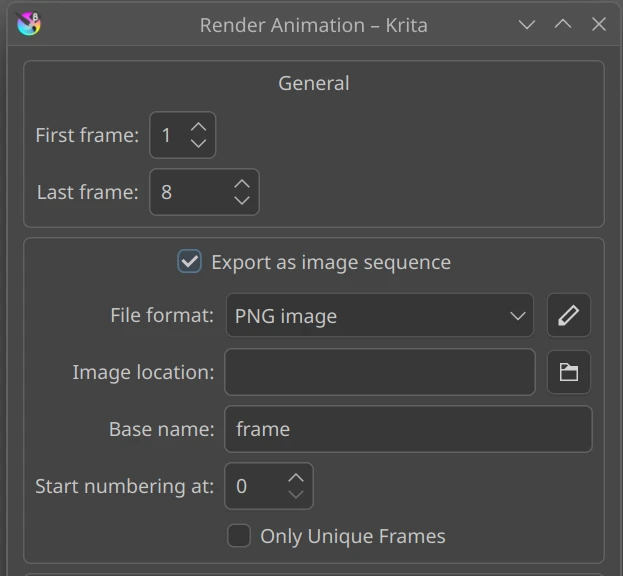
Clicking Ok will result in a sequence of images being saved on my drive. Each frame becomes a separate file.
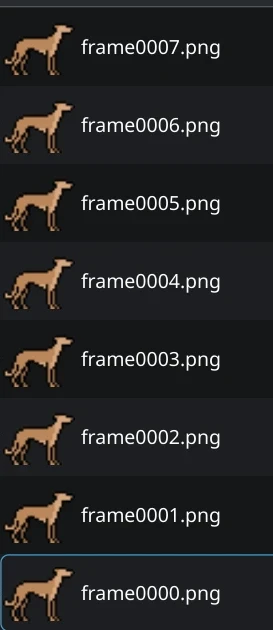
The only thing to do now is to combine all of them into a single file which will become my sprite sheet I'll load in the game. I could imagine there's about million different ways to do so, but my go-to method is to use ImageMagick CLI tool and its +append flag that joins the selected pictures horizontally left-to-right:
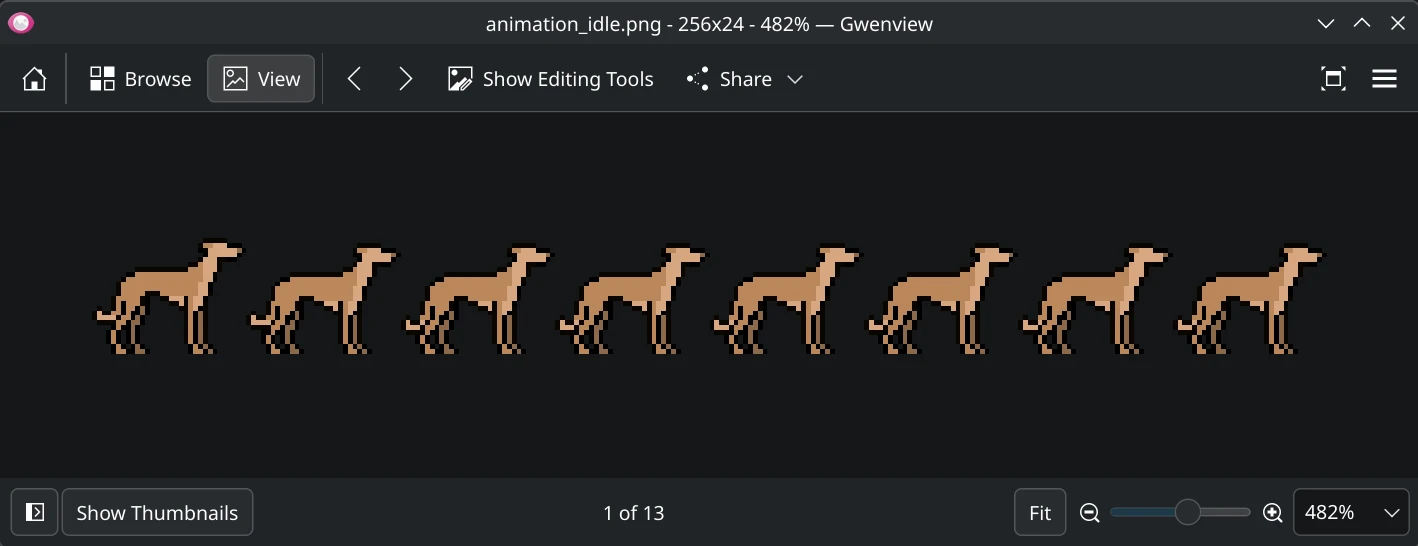
magick frame0000.png frame0001.png frame0002.png frame0003.png frame0004.png frame0005.png frame0006.png frame0007.png +append animation_idle.png
The resulting file animation_idle.png contains all my selected frames and now it's easily importable from within a game engine, where I can write code to display and animate the asset.